
In Category on 19 Oct 2026
How Greece built its national data portal on CKAN
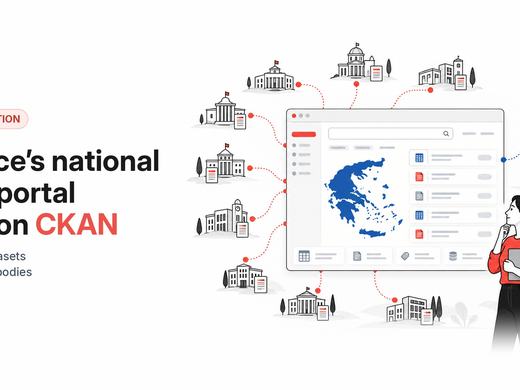
data.gov.gr now holds 22,000+ datasets from 510+ public bodies, with DCAT-AP metadata, quality scores and harvesting into data.europa.eu
![[IMG: preview]](http://farm9.staticflickr.com/8518/8547746249_766e7a6147_n.jpg) Map preview of CSV file in CKAN[/caption]New previews can be build as a CKAN extension with the help of the
Map preview of CSV file in CKAN[/caption]New previews can be build as a CKAN extension with the help of the IResourcePreview interface. This is the same interface as CKAN already uses for built-in previews. (Note that, while most of these are enabled by default, the built-in PDF preview is not. To enable PDF preview, you need to edit the CKAN .ini file and add pdf_preview to ckan.plugins.)
A preview extension must implement three methods:
can_preview to indicate that it can preview the dataset,preview_template to return the template for the preview, andsetup_template_variables to add the data that should be rendered to the template.ckanext. If you have any questions, let us know on the mailing list and we'll try to help.
data.gov.gr now holds 22,000+ datasets from 510+ public bodies, with DCAT-AP metadata, quality scores and harvesting into data.europa.eu

If you run a CKAN portal, 2.12 is the release to pay attention to. Large downloads stop crawling, files become things you can manage in their own right, the interface gets a modern refresh, and older instances get critical security fixes. It's the last 2.x release — and the groundwork for everything 3.0 brings.